A client (e.g., Rory) is 3 weeks into a term class and wants to switch to a different activity. Since your organization does not offer refunds, you must "store" the value of the original booking as a credit before applying it to the new class
Case Details:
Original Booking: Strength Training for Seniors ($100).
Target Booking: Yoga for Seniors ($120).
The Problem: The new class is more expensive ($20 difference), meaning the client needs to pay a top-up.
The Workflow: Archive the old spot → Calculate the remaining credit → Add funds to the client's internal "funds" → Apply those funds to the new enrolment
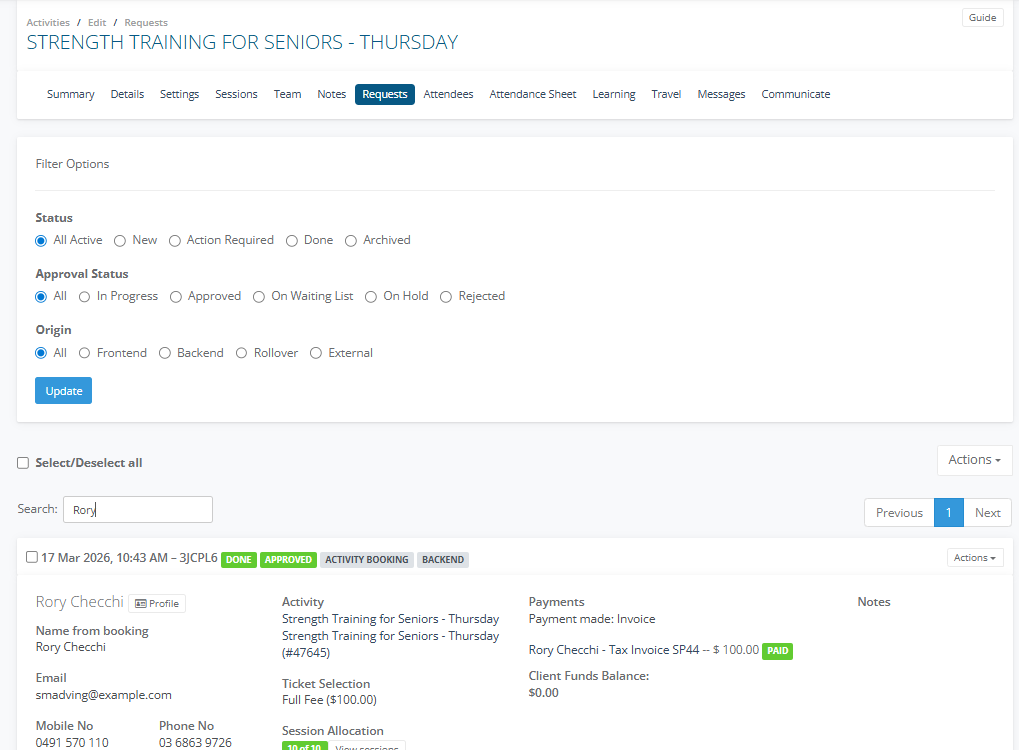
1. Go to the original booking, Strength Training and archive and reject his booking. In the Client Tile > Actions > Update Status > Archive and Reject > Cancel Enrolment and Hide on the Attendance Sheet. For further information review the Article
2. Go to the Main Menu select Payments > Client Funds
3. In the Search look up Rory and select Actions > Add Funds

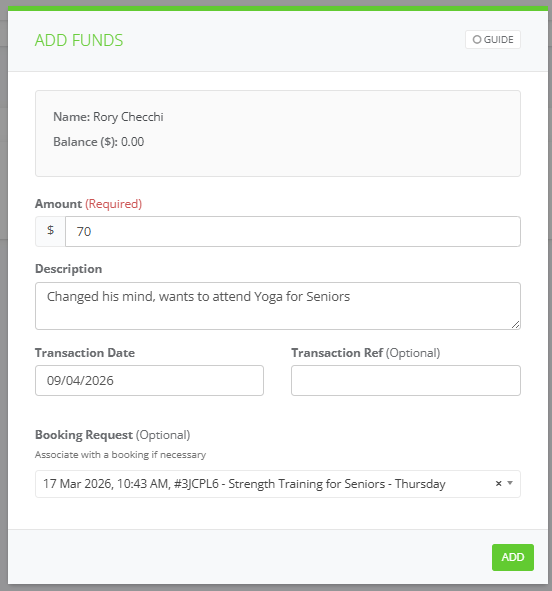
4. In the Add Funds window, shows what balance of credit owing to Rory, enter the Amount, Description, Transaction Date and Booking Request link to his original booking eg. Strength Training and select Add
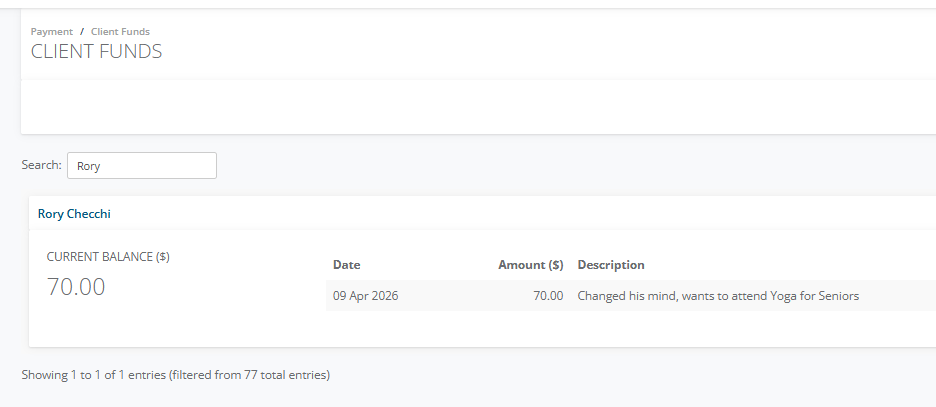
5. The client funds will show as a Current Balance in Rory's client tile along with the Date it was made, Amount and Description.
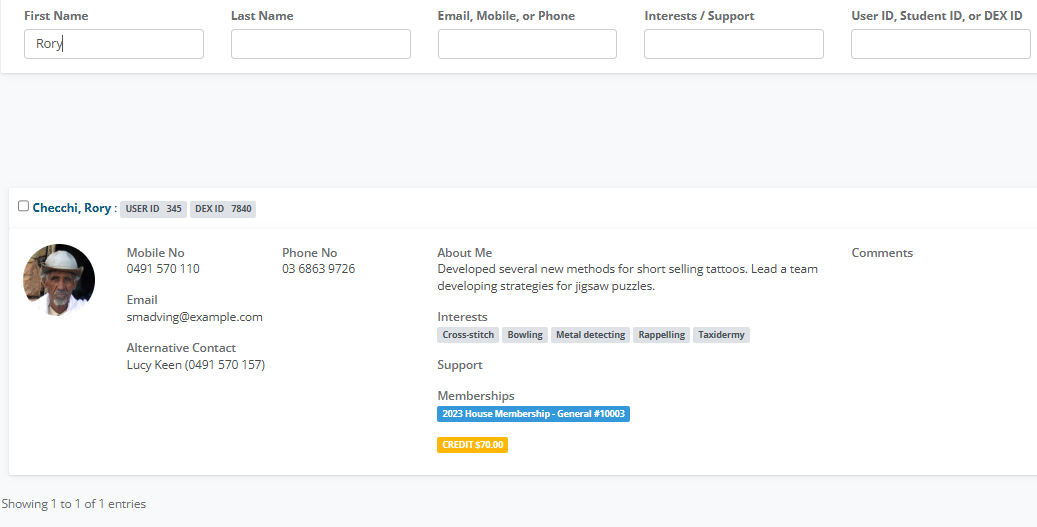
6. Go to Main Menu select Clients > Client List and enter Rory in Search
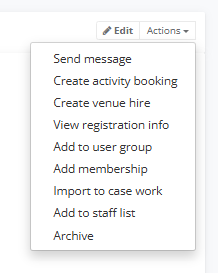
7. Select Actions > Create Activity Booking
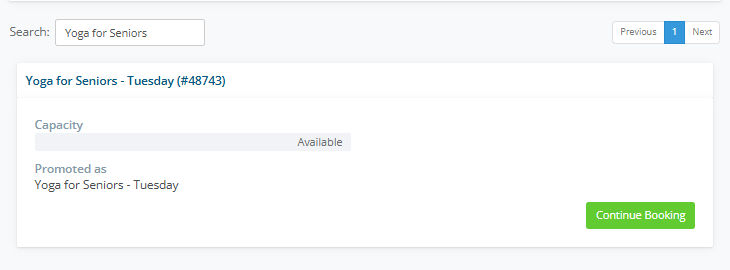
8. In Search enter Yoga for Seniors select Continue Booking
9. In the Booking Request Form pane select on the Full Fee $84 at 7 weeks (Term Price is $120) which is currently being prorated. For more information see Article
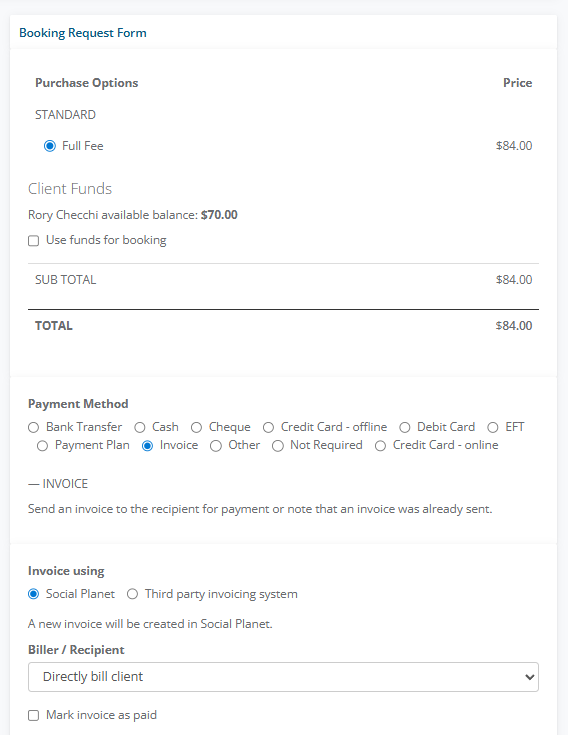
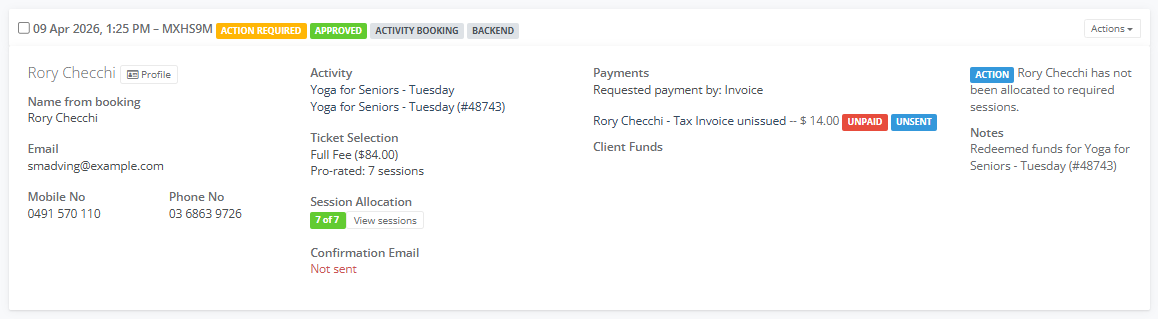
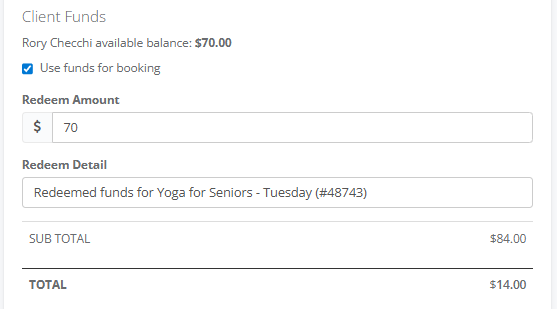
10. In Client Funds select Use funds for booking enter the Redeem Amount ie. $70 which leaves a Total Balance $14.00 the person has to pay.
IMPORTANT - If the Client Funds are the same amount as the Ticket Price, don't use Client Funds, instead Issue the Invoice for the Ticket Price and apply Credit on the Draft Invoice.
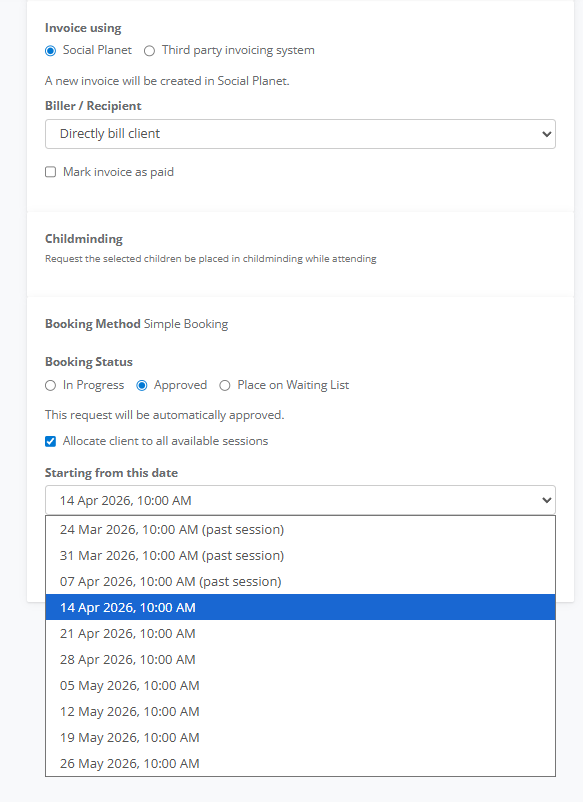
11. Invoice using Social Planet should be checked.
12. In Booking Status select Approved select Starting from this Date choose the remaining sessions.
13. Select Complete Booking
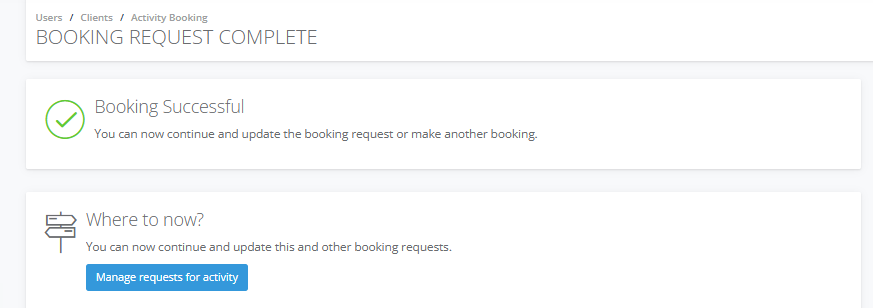
14. In Booking Request Completed select Manage requests for activity
15. In the Request tab for Yoga for Seniors - Tuesday it shows 7 of 7 and the Tax Invoice unissued, shows the $14 balance Rory has to pay.