NDIS item numbers are crucial because they are unique codes that identify a specific service your Centre is providing to a participant.
Adding item numbers is essential for accurate invoicing, timely payments, and avoiding claim rejections and payment delays. To add NDIS service items.
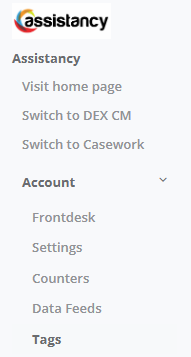
1. Go to Main Menu select Account then Tags
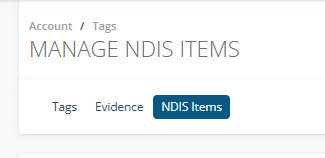
2. Go to the NDIS Items tab
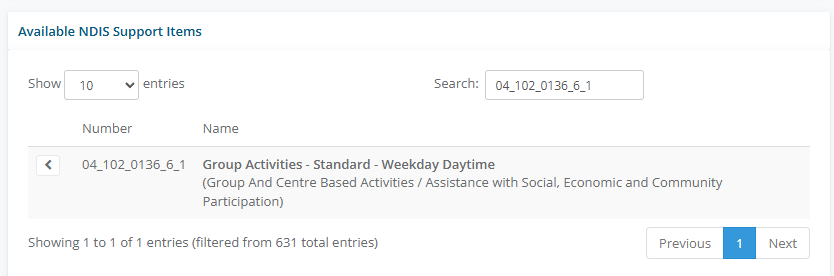
3. Search up the item code in the Available NDIS Support Item and use the < arrow to enable the item on your invoicing
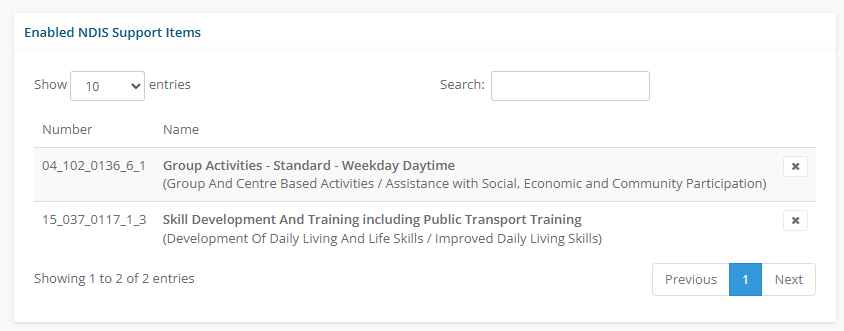
4. Enable all the NDIS items you plan to use for invoicing.