
This reporting section provides managers with a holistic view of the operational and financial health of all classes, events, and services delivered through the platform. These reports are crucial for making informed decisions on capacity, revenue participation rates, and government compliance.
Main Menu > Activities > Reports
Overview: Why Use Activity Reports?
Activity Reports are vital tools for operational and financial accountability. They enable you to
- assess the health of your activities based on attendances rates and income generated
- number of government funded (NDIS, MAC, HACC) clients attending your programs
- track participation rates at your Centre by term or location
- check for conflicts where participants in Learn Local funded classes don't have an enrolment
- keep up to date on participant payments and the status of their invoices.
Terminology
| Term | Definition |
| Period | The specific timeframe the activity is being run (e.g., Term 1, Semester 2, Full Year) |
| Type | The classification of the activity, indicating its nature and funding stream (e.g., ACFE Class for government-funded training, or Event for self-funded sessions). |
| Capacity | The total number of participants that can enroll in or attend a class or event before it is considered fully booked. |
| Booking Type | The financial and commitment structure of the activity. The values classify whether a person is attending the activity for Free, submitted an Expression of Interest (no payment, no ticket assigned) or has been paid through Simple or Booking with Confirmation (paid) |
| Booking Status | The status of a client's reservation for an activity, indicating their current stage in the enrollment or attendance process. The possible statuses are Approved, In Progress, Placed On Hold, Wait Listed or Cancelled. |
| Availability | The remaining number of spaces available for new participants, calculated by subtracting current bookings from the Capacity. |
| MAC / HACC / NDIS | Client funding streams (My Aged Care, Home and Community Care, National Disability Insurance Scheme). Reports are automatically generated when a client has the corresponding reference number in their profile. |
Activity Reports Reference Table
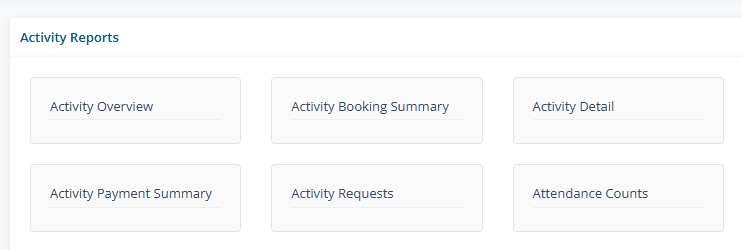
The following reports are available under the Activity > Reports path.
| Report Name | Purpose (What the Report Does) | Key Data Points/Output | Target Audience |
| Activity Overview | A quick-health snapshot of a class or event. It summarizes the program's overall enrollment capacity, space availability, and financial health by showing aggregate data for attendance rates, total revenue value achieved, and the financial status of all participants. It's used to quickly gauge operational efficiency and program success. | Period, Type, and Location, Capacity and Availability (Limits and Spaces Left), Overall Attendance Rate (Attendance Status), Total Financial Status (Invoiced, Paid, Unpaid Amounts), Achieved Revenue (Total Value) | Managers and Finance |
| Activity Booking Summary | Provides a detailed breakdown of attendance and learner outcomes for individual activities delivered across multiple locations.. It is used to quickly assess unique client engagement and the rate of success/failure across all activities. | Period and Type (ACFE Class, Event), Location, Capacity, Num Enrols, Num Bookings, Attended (total, 2+, not attended), Outcome Pass, Outcome Fail, Outcome Other | ACFE Coordinator |
| Activity Detail | Functions as a dedicated financial monitoring tool to track the payment and invoicing lifecycle of all enrolled clients in an activity. It is used to proactively chase outstanding payments, verify invoice statuses (drafted/issued), and monitor the total revenue generated. | Client Name/ID, Enrollment Status, Attendance Status, Fee/Cost, Invoice Status, Payment Status, Paid Amount, Invoice Number, Outstanding Balance. | Bookkeepers, Finance Team, Administrative Staff |
| Activity Payment Report | Provides a filterable transactional history of all bookings, payments, and invoices within a set date range. It is used to monitor cash flow, reconcile payments received, verify invoice dispatch, and audit all financial transactions. | Activity, Client Name, Booking Date, Booking Amount, Pay Method, Invoice No, Invoice Issue Date, Invoice Sent Date, Paid Amount, Unpaid Amount, Notes. | Bookkeepers, Finance Team, Administrative Staff |
| Activity Payment Summary Report | Provides a high-level, aggregate financial summary of revenue status and client fee commitment across multiple activities for a selected period (e.g., Term). It is used to monitor overall program revenue health, identify revenue at risk (Unpaid Amount), and confirm total realized income (Paid Amount). | Type and ID, Activity, Capacity, Attendees, Booking Amount, Attendees Invoiced, Invoice Amount, Paid Amount, Unpaid Amount, Totals Row. | Managers, Finance Team, Administrative Staff |
| Activity Request Report | Provides a chronological log of all client demand, waitlist management, and enrollment progress. It is used to monitor administrative follow-up efficiency, verify initial compliance data (demographics, eligibility), and assess demand for future programs. | Request Date, Activity, Client Name, Paid (Y/N), Status (Confirmed, In Progress), Full Client Demographic Data (Language, Indigenous, Work Status), Location. | Administrative Staff, ACFE Coordinator, Program Managers |
| Activity Attendance Report | A critical operational tool focused solely on tracking, managing, and verifying client attendance at the session and individual client level. It is used to track client engagement, and identify drop-outs. | Activity, Client Name/ID, Session Date, Session ID, Attendance Mark (Present/Absent). | Managers |
| Activity Attendance by Label Report | Provides a compliant, aggregate summary of attendance and sessions grouped by predefined external categories (Reporting Labels). It is used to fulfill mandatory reporting obligations for surveys (like NHVic), and analyze service mix and category scale. | Reporting Label, Total Activities, Total Sessions, Total Participants, Total Attendees. | Program Managers, NHVic Coordinator, Compliance/Admin Staff |
| Activity Attendance Weekly Report | An operational report that presents a matrix of client attendance across the full duration of a single activity. It is used to monitor individual client engagement consistency, identify early drop-outs for retention follow-up, and track weekly session fill-rates. | Activity, Client Name, Matrix of Session Dates (Columns), Attendance Mark (P/A) per Session, Session Total (Row at bottom). | Managers |
| Attendee Concessions Report | A simple transactional check that compares a client's concession-eligible status (Y/N) against whether a concessional ticket/fee (Y/N) was used for their booking. It determines the total volume of concession-eligible clients. | Client Concession Flag (Y/N), Ticket Concession Flag (Y/N), Ticket Name/Type used in booking. | Administrative Staff, Bookkeepers |
| Attendee Demographic Report | A compliance and planning tool that provides a statistical breakdown of attendees by mandatory demographic fields. It is used to verify target population reach for funding acquittal and inform future program design. | Demographic Field (Age, Gender, Education, etc.), Attendees, Total Attendees. | Managers, ACFE Coordinator |
| Attendee HACC Clients Report | A compliance and funding acquittal report used to extract service delivery data for HACC-eligible clients. It is required to submit claims for funding by linking the client's HACC eligibility number to service delivery. | Client HACC No, Activity, Session Date, Client Name/ID, Attended Minutes (Sessions attended), Available Minutes (total session time). | Managers |
| Attendee MAC Clients | A compliance and funding acquittal report used to extract service delivery data for MAC-eligible clients. It is required to submit claims for funding by linking the client's MAC eligibility number to service delivery. | Client MAC No, Activity, Session Date, Client Name/ID, Attended Minutes (Sessions attended), Available Minutes (total session time). | Managers |
| Attendee NDIS Clients | A compliance and funding acquittal report used to extract service delivery data for NDIS eligible clients. It is required to submit claims for funding by linking the client's NDIS eligibility number to service delivery. | Client NDIS No, Activity, Session Date, Client Name/ID, Attended Minutes (Sessions attended), Available Minutes (total session time). | Managers |
| Attendee Outcome Report | A performance measurement tool that details the final learning outcome achieved by each student for every activity they attended. It is used to verify educational efficacy and support grant acquittal by linking attendance to achievement. | Year / Period, Subject Unit Code - Name, Stream, Category, Outcome (Pass, Fail, Not Yet Started), Funding - ACE or AC2 and included in AVETMISS Reporting. | ACFE Coordinator Manager |
| Attendee Participation Report | Provides a detailed breakdown of client participation and engagement metrics across activities for a specified time period. | Total Attendees, Total Attendances, Active/New/Returning/Inactive Attendees, Participation by Site and Space. | Manager Administrator |
| Issue Checker for Potential Issues | Diagnostic tool for AVETMISS compliance; flags inconsistencies where bookings lack the required enrolments, declarations, or evidence. | Bookings, Bookings w/ Status, Bookings w/ Enrollment, Bookings w/ Evidence, Bookings w/ Declaration, Subject Units | ACFE Coordinator Manager |