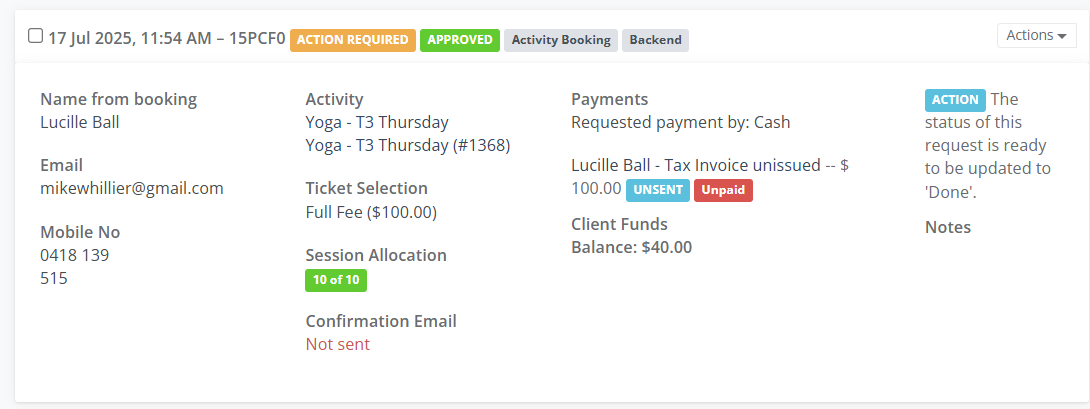
Quickly view every activity, class, or event a client has ever booked, providing a complete record of their engagement with your centre.
From the Frontdesk, go to Clients and select Client List.
Fill out the Search Field and select the Edit button on the Client Profile tile.
Go to the Bookings tab
Review each Booking Tile
- Date / time the booking was made
- Booking Status ie Action Required
- Type of Booking ie Activity Booking
- Booking made by staff ie Backend
- Activity Name
- Ticket Selection
- Session Allocation
- Email confirmation was sent to the person
- Payment type
- Invoice
- Follow up Actions ie update to Done
Select on the Name ie Yoga to be taken to the Activity Summary page