
From the Frontdesk, go to Clients and select Client List.
Fill out the Search Field and select the Edit button on the Client Profile tile.
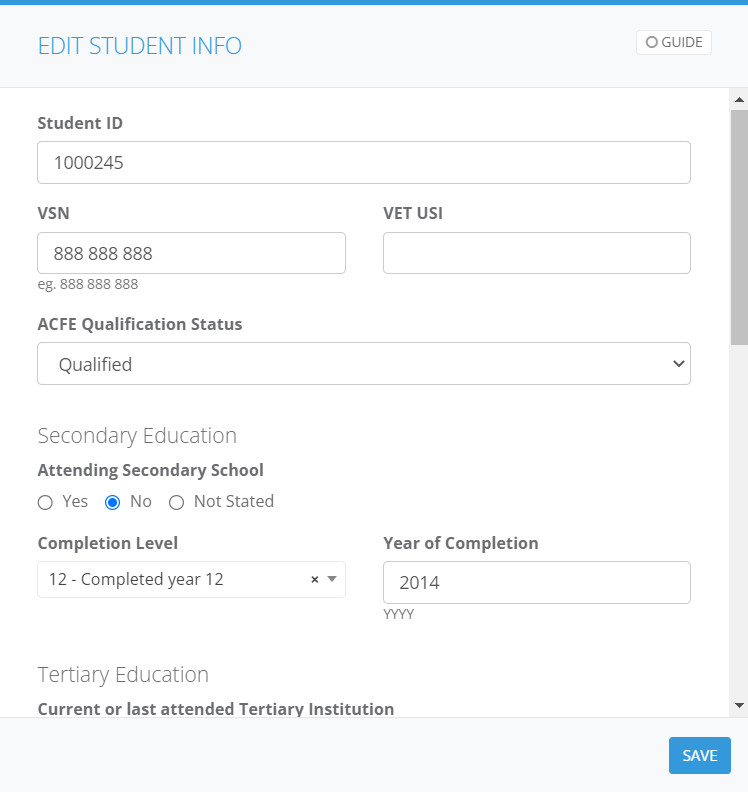
Scroll down to the Student Info tile and click Edit. In this section, you can –
Assign a unique Student ID.
Add the client’s VSN, the unique student ID for all Victorian students in school or vocational training from Prep to 24 years old.
Add the client’s VET USI, the unique ID assigned to all Australians who attend vocational education or training.
Add the client’s ACFE Qualification Status.
Add the client’s Secondary Education status, date of completion etc.
Add the client’s Tertiary Education status, including their institution and Australian equivalent of an international qualification they have received.
Add the client’s Study Reason.
Add the client’s Labour Force Status, Industry and Occupation.
Add the client’s Survey Status, and identify reasons to exclude clients from the Student Outcomes Survey.
4. Press Save, and you’re done!