
Send out emails to individual volunteers or volunteer interest groups about project vacancies. Individuals can log in and submit their interest and availability for shifts.
Go to Main Menu, select Workloads then Assignments
Use the Day, Week and Month Calendar Views to see what vacancies are available for the projects your running.
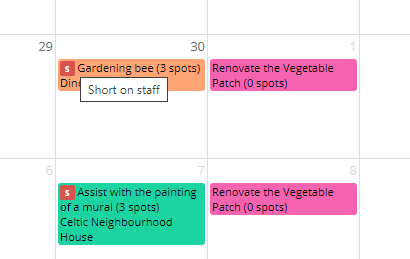
The S symbol denotes Short on Staff, and the number of vacancies available
To send out a email message to volunteers about vacancies select Send reservation notice
5. Use the drop down list to select a User Group Or select a single email address then press Send