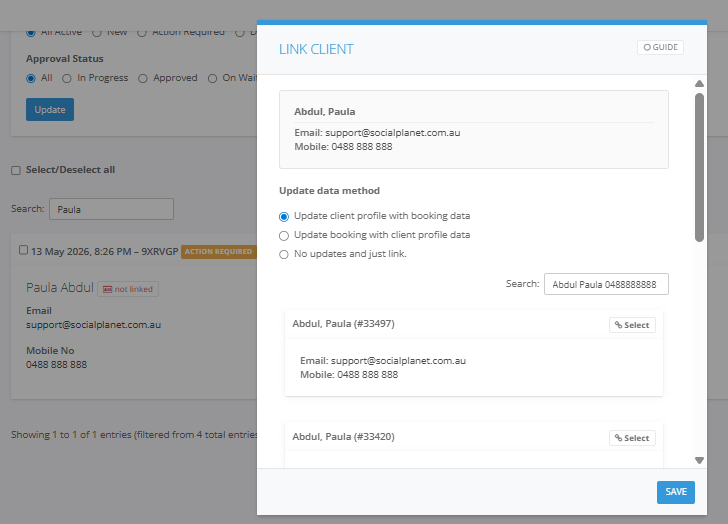
If a booking has been accidentally linked to the incorrect client profile, you can easily revert the link to restore data integrity. This process returns the booking to its "Not Linked" state, allowing you to correctly reconcile it with the right profile.
Step by Step Instructions
1. Locate the Booking: Navigate to the Activity Summary > Request tab.
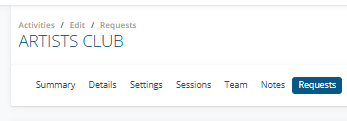
2. Search for the Client: Enter the currently linked client’s name in the Search field.
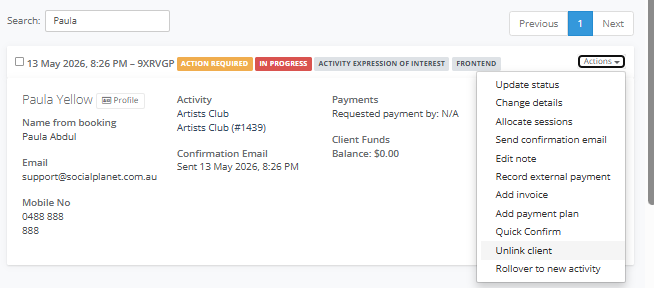
3. Initiate Unlinking: On the booking tile, select Actions and then click Unlink client.
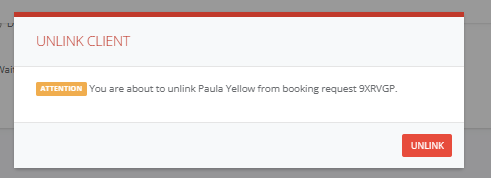
4. Confirm: Select Unlink in the confirmation window.
The booking will immediately default back to the original booking name provided during the guest checkout. The status will change to Not Linked, allowing you to start the linking process again with the correct client profile.